Welcome to the Bat Edition
Download PDFWelcome to the Bat Edition
Your Bat Edition PUC is the same field-proven BirdWeather device you know — now listening above the range of human hearing. Where the standard PUC tops out around the edge of what we can hear, the Bat Edition records deep into the ultrasonic, capturing the echolocation calls of bats passing overhead and identifying them automatically.
Everything you already do with birds still works exactly as before. Bats are added alongside your birds — you choose whether the device listens for birds, bats, or both. Detections appear in the same live feed, on the same map, and in the same app you use today, with bat detections clearly marked in purple so they're easy to spot.
1. The Mobile App
The BirdWeather app drives everything on your PUC. This section walks through finding the Bat Edition controls, switching what the device listens for, and getting the most out of bat detections.
Get the app
The Bat Edition is supported on both iOS and Android. Make sure you're running the latest version:
- iOS — app v2.28.0 (639) or later, on the App Store.
- Android — app v1.32.0 (422) or later, on Google Play.
Finding your Bat Edition settings
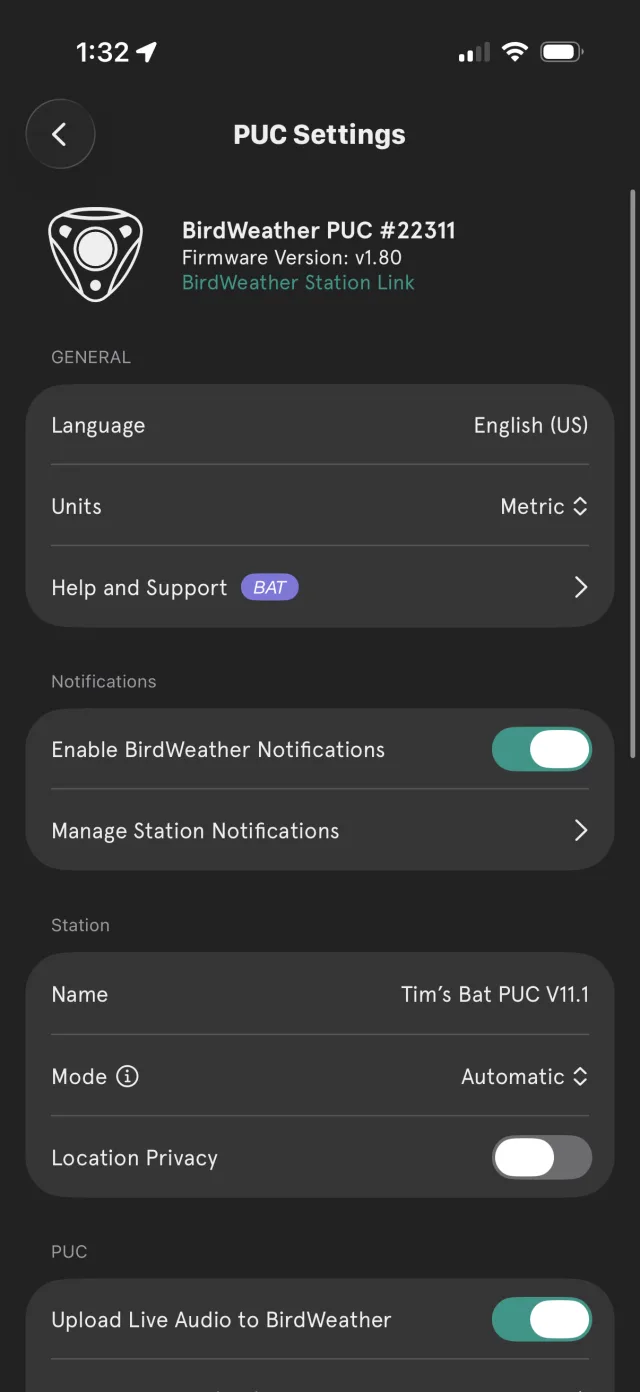
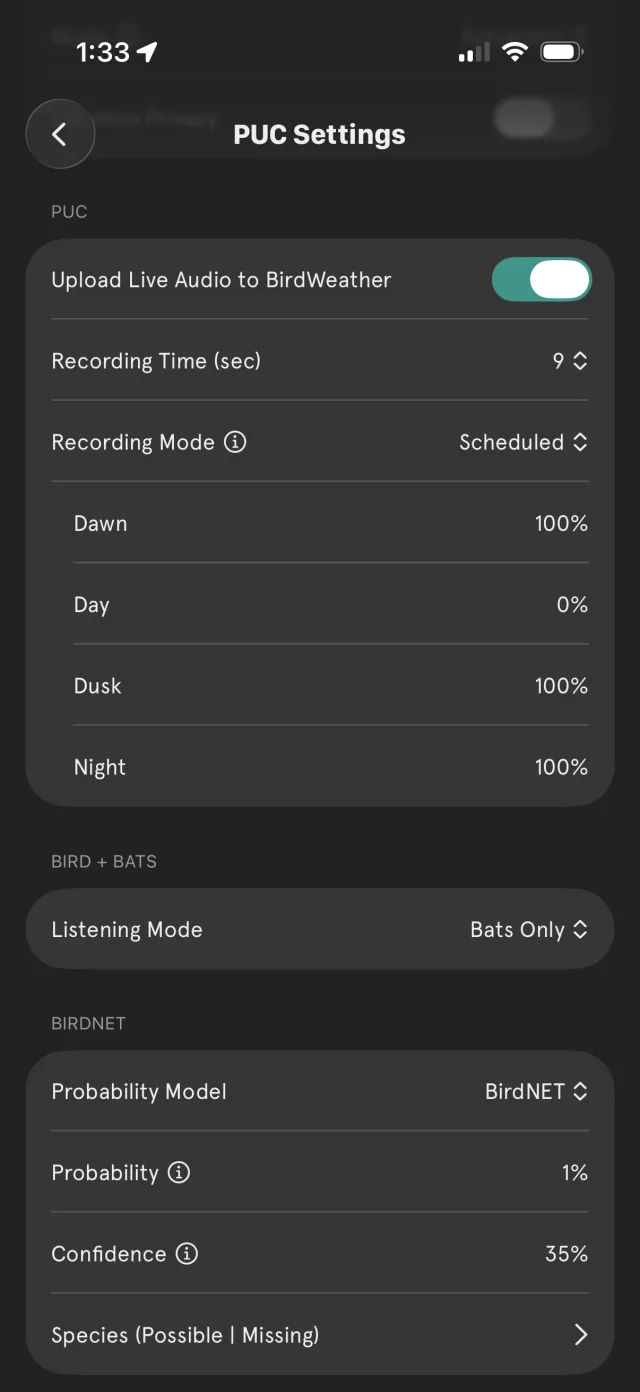
Open your station and tap the gear icon to reach PUC Settings. Two things mark this as a Bat Edition device:
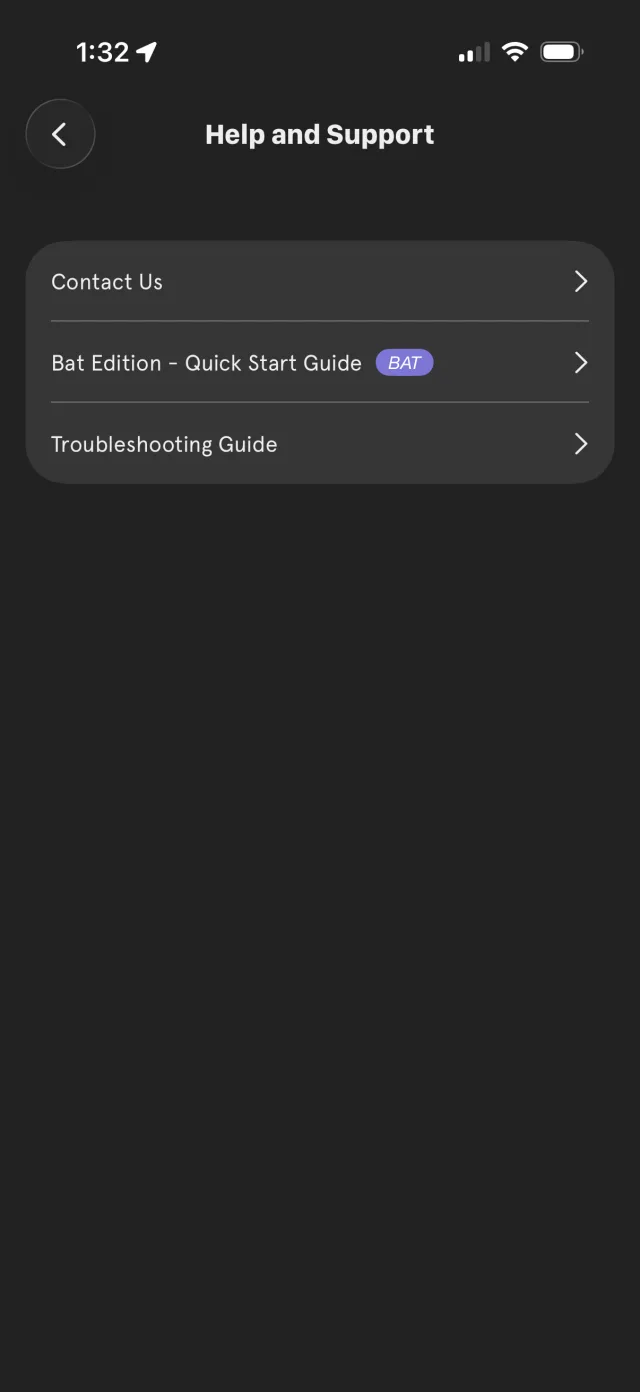
- A BAT badge next to Help and Support, which opens the Bat Edition Quick Start Guide right inside the app.
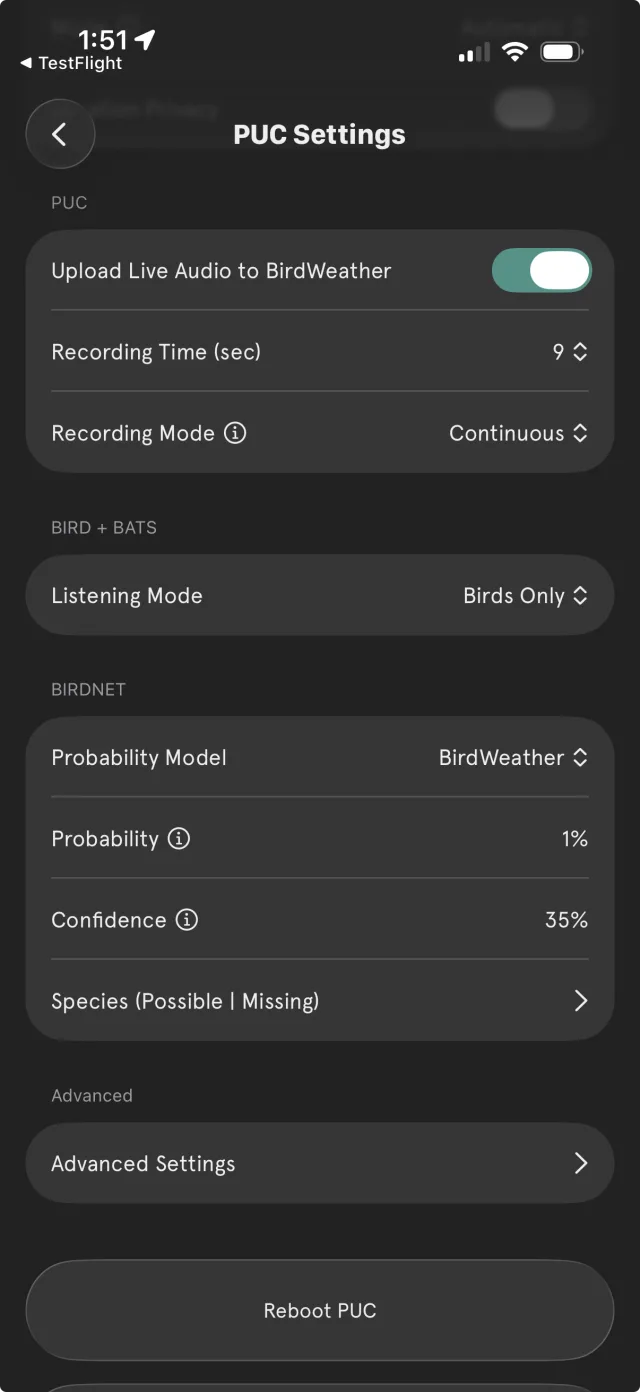
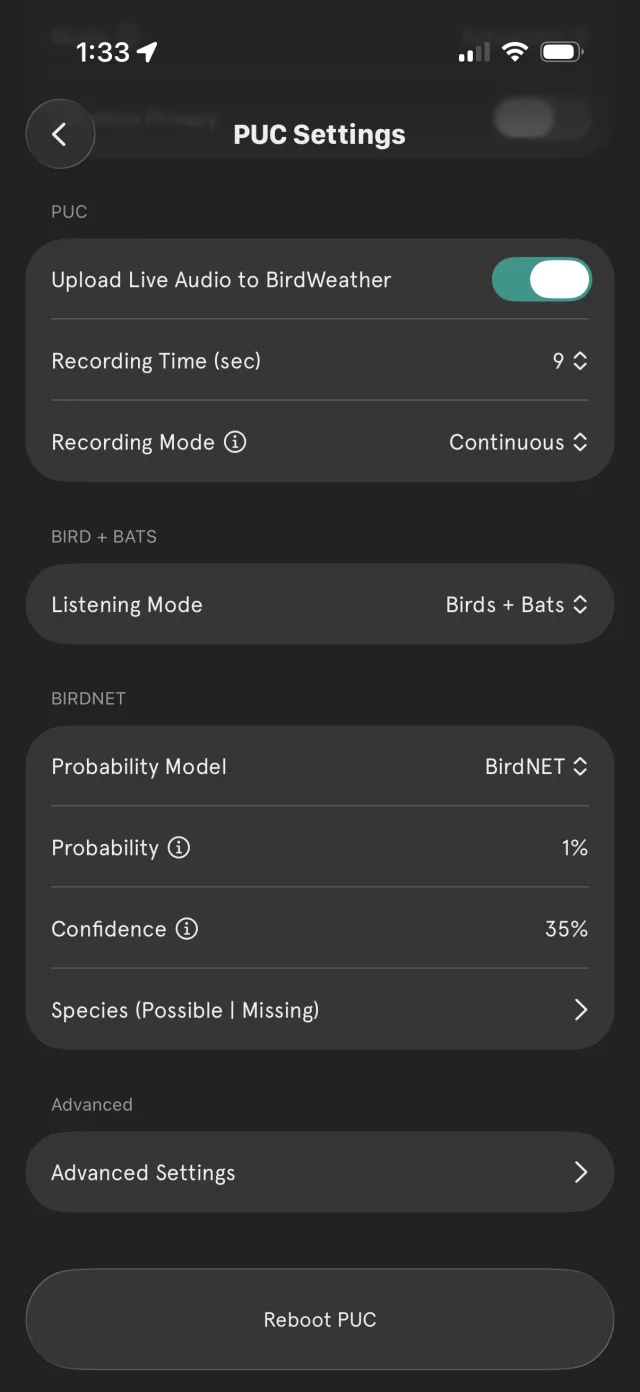
- A BIRD + BATS section containing the Listening Mode control — the heart of the Bat Edition.
Switching listening modes
By default, every PUC ships in Birds Only mode — so your experience is unchanged until you decide to listen for bats. To change it, open PUC Settings, find the BIRD + BATS section, and tap Listening Mode to cycle through the three options:
| Mode | Best for | What it does |
|---|---|---|
| Birds Only | The classic experience (default) | Standard BirdNET bird identification. The ultrasonic range is ignored. This is how your PUC arrives. |
| Birds + Bats | Most users | Listens for birds and bats at the same time. You get your full bird feed plus bat detections — the best of both worlds. |
| Bats Only | Dedicated bat monitoring | Focuses entirely on the ultrasonic band for bat detection. Use this when a station is deployed specifically for bats. |
Reading the live feed
Your station's home screen shows Station Statistics — today's species and detection counts — above a scrolling feed of recent detections. With bats enabled, bat detections join the same feed your birds already appear in.
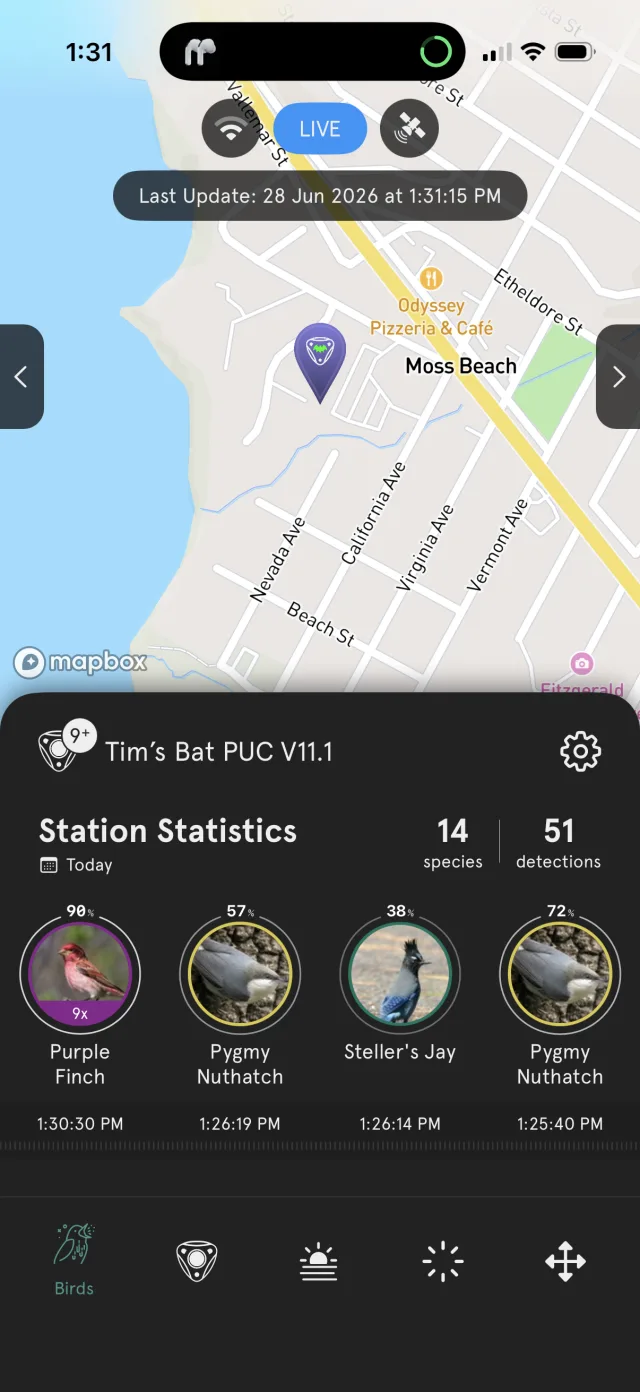
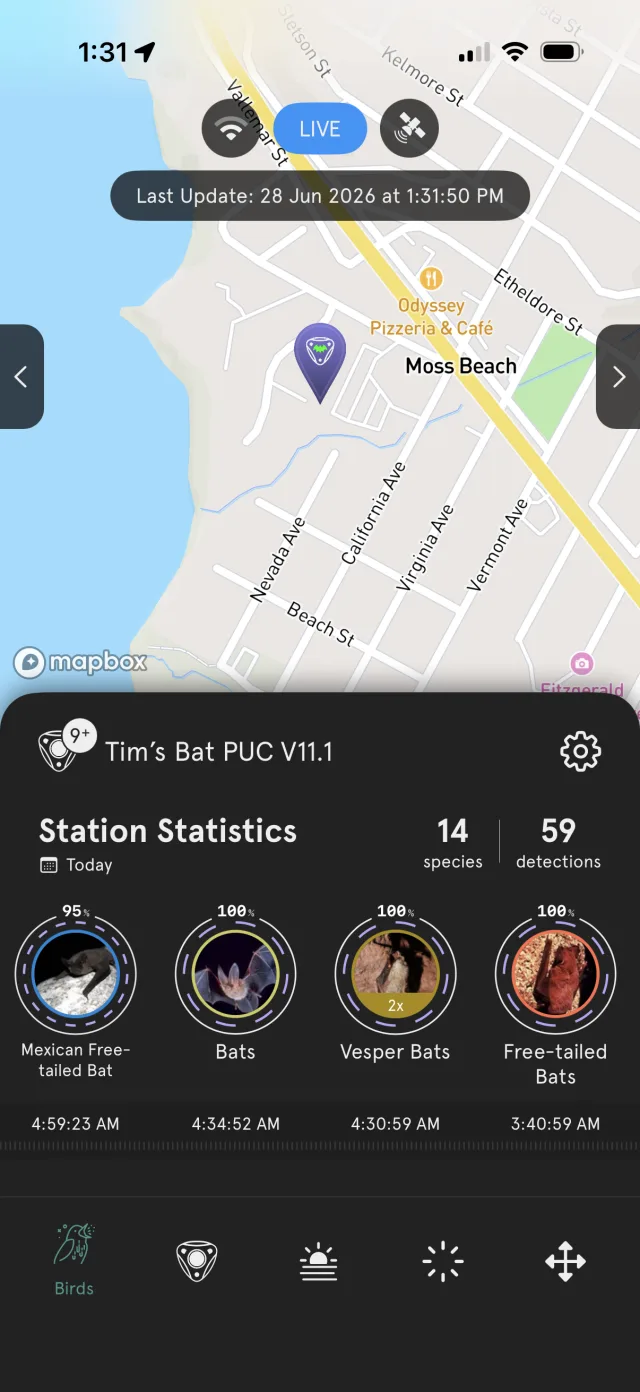
Bat results carry a purple accent ring and map pin so you can tell at a glance whether a detection is a bird or a bat. Tapping any detection opens its detail view, spectrogram, and audio.
Browsing detected species
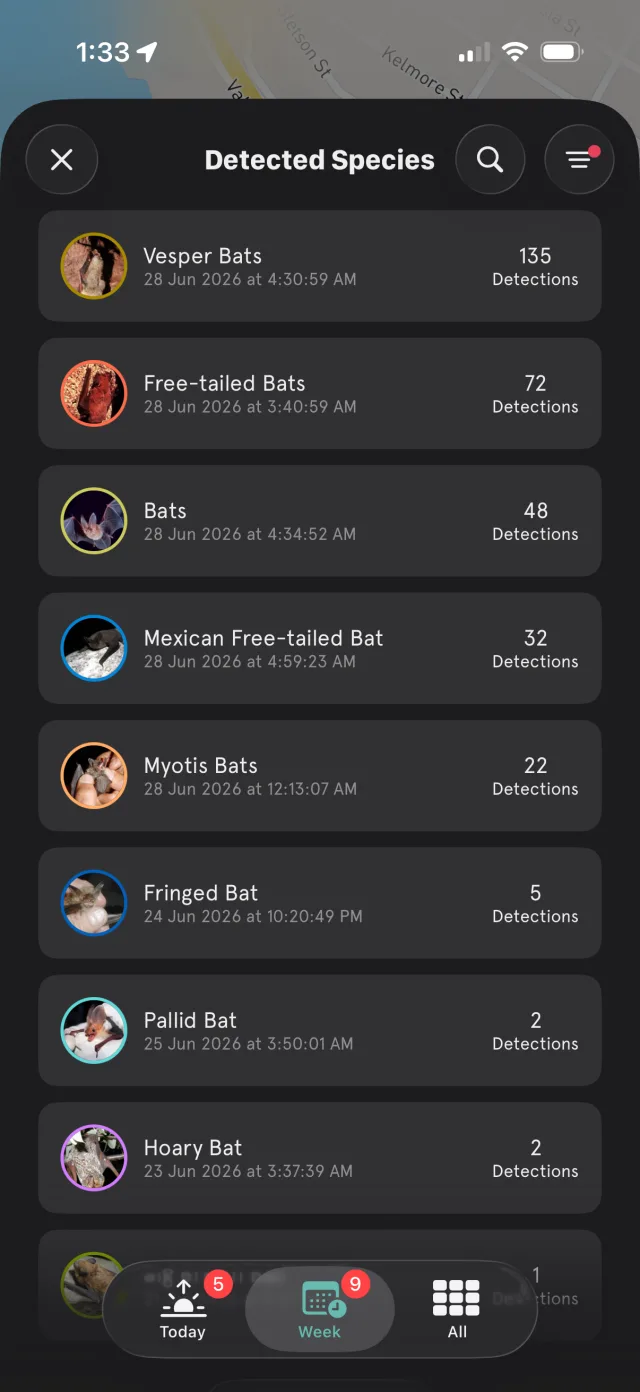
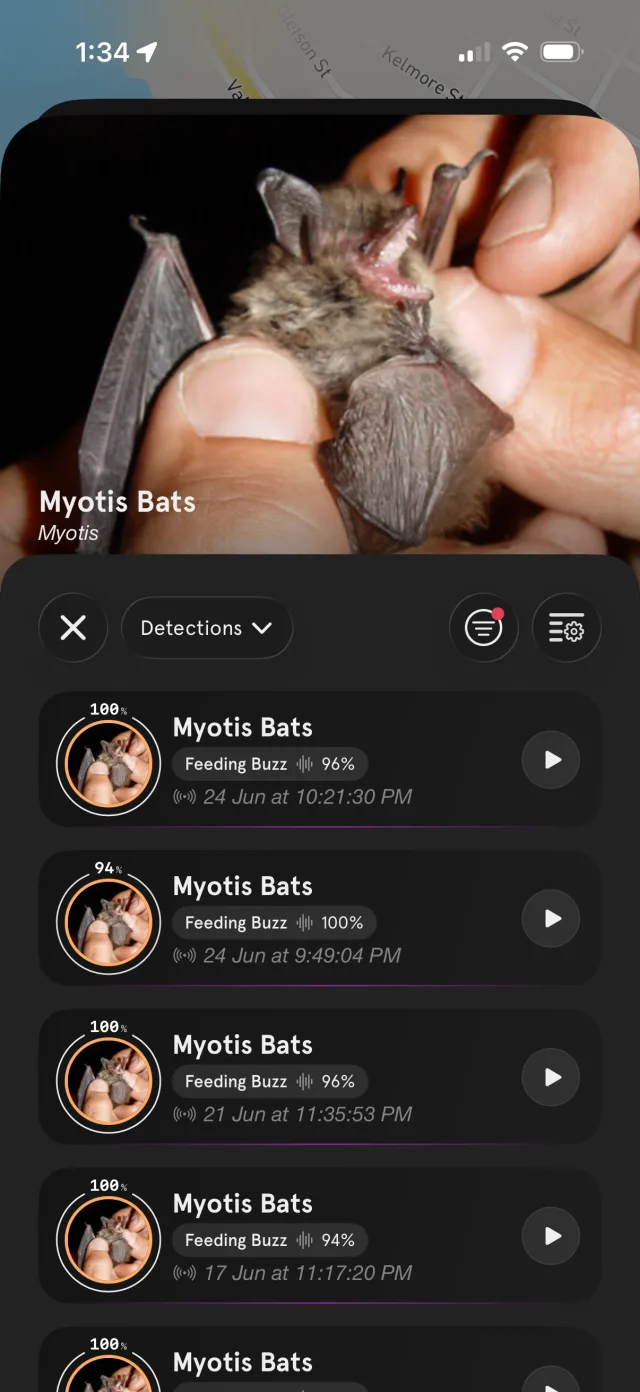
The Detected Species list rolls up everything your station has heard, ranked by detection count, with Today / Week / All filters along the bottom. Opening a species shows every individual detection, each tagged with the behaviour the classifier identified and a confidence score.
Filtering by behaviour
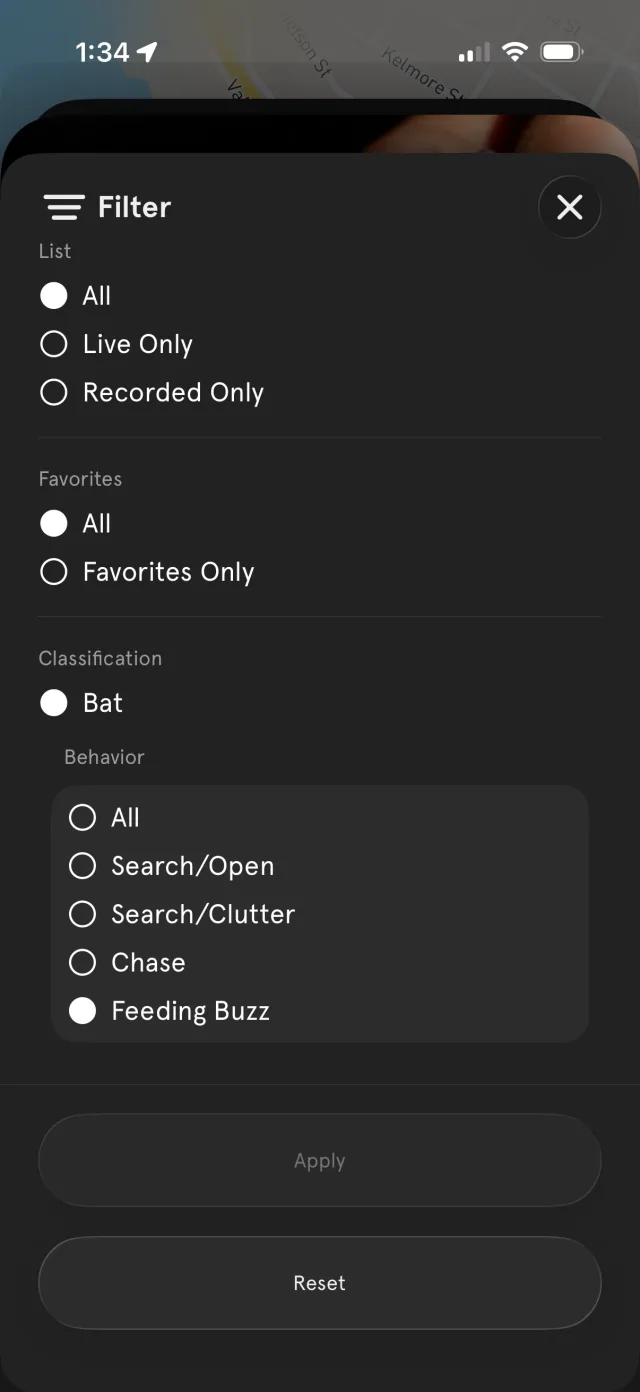
The Bat Edition doesn't just identify what a bat is — it identifies what it's doing. Open the filter and, under Classification → Bat, you can narrow the feed to a specific echolocation behaviour:
- Search / Open — a bat cruising open air, searching for prey.
- Search / Clutter — navigating among vegetation or other obstacles.
- Chase — actively pursuing an insect.
- Feeding Buzz — the rapid burst of calls at the moment of capture — the sound of a bat catching a meal.
These behaviours form a natural sequence, and you can read them in the cadence of the call. As a bat closes in on prey it calls faster and faster — from a relaxed handful of pulses per second while cruising, tightening through the chase, to the rapid machine-gun burst of a feeding buzz at the moment of capture. In your feed, each detection's ring echoes this rhythm: longer, slower marks for an open-air search, compressing toward a near-solid ring for a buzz.
Behaviour is detected for any bat call, independent of whether the species itself could be named — so even an unidentified bat can be logged as a Feeding Buzz.
Exploring ultrasonic spectrograms
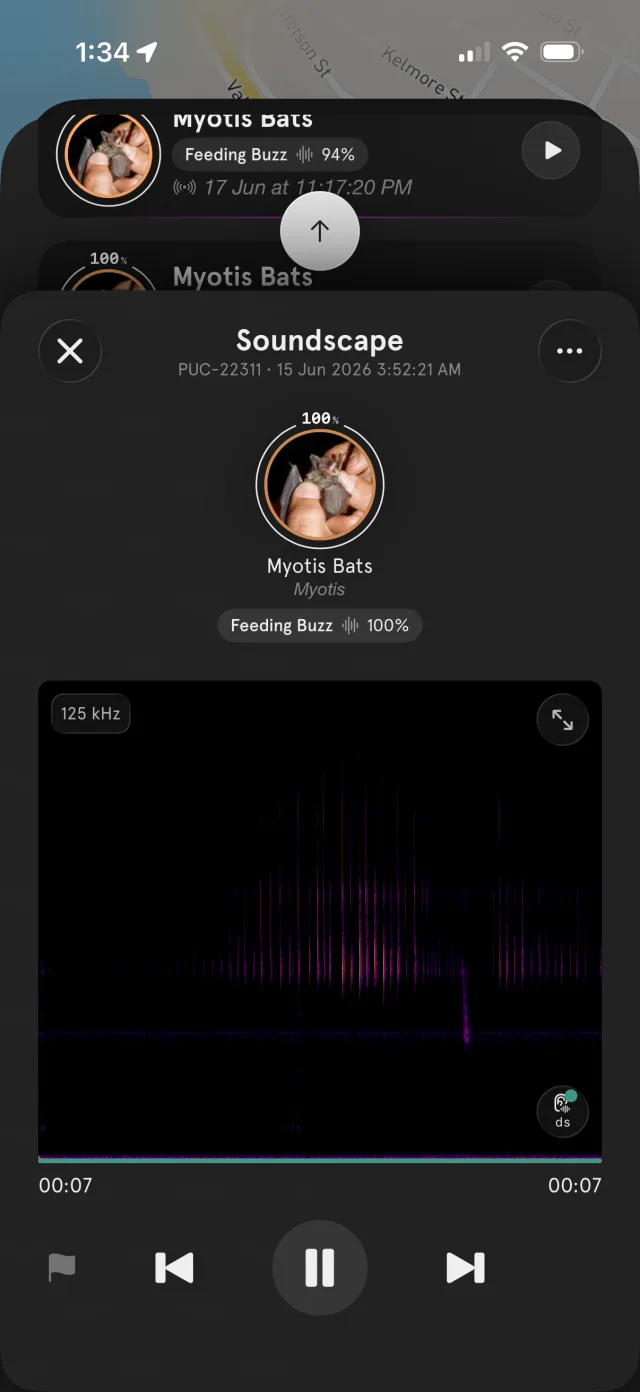
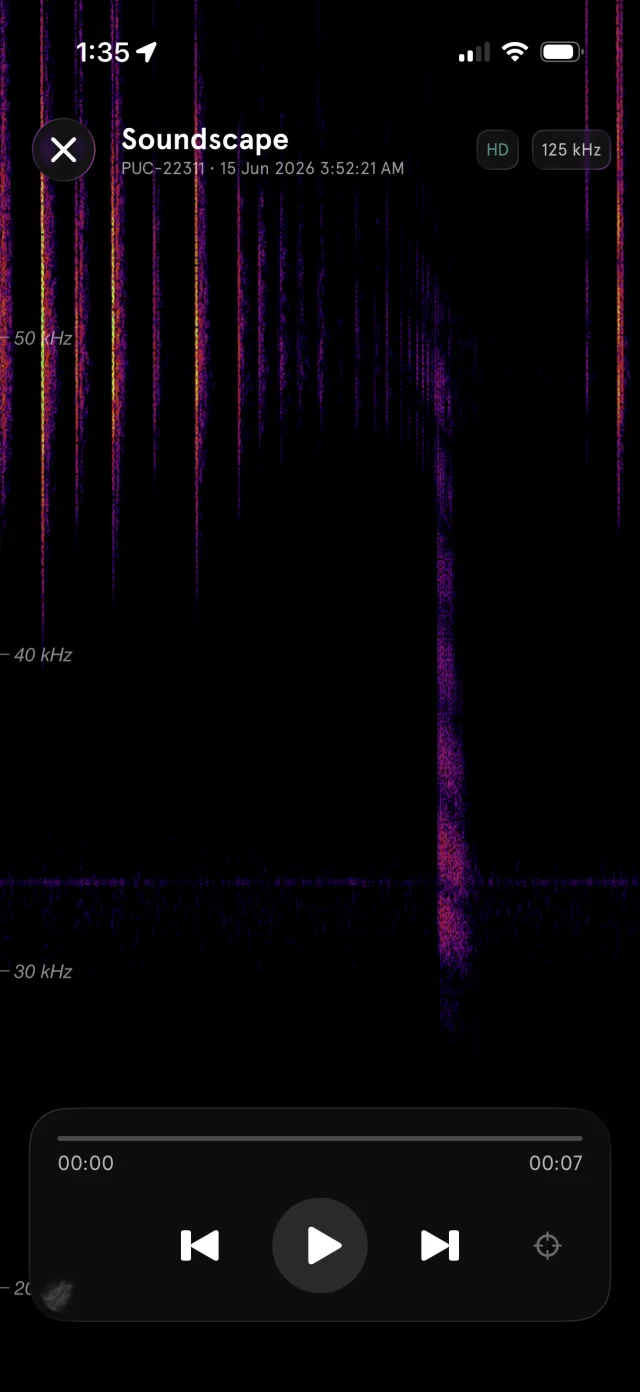
Every detection includes a spectrogram — a visual picture of sound, with time running left-to-right and frequency bottom-to-top. Bat calls live far above the range you can hear, so the Bat Edition spectrogram reaches up to 125 kHz — well above the calls of over 99.9% of bats.
The detection view
Tap a detection to open its Soundscape view. You'll see the identified species, its behaviour tag and confidence, and the spectrogram with a frequency-range label (e.g. 125 kHz) in the corner. Use the play controls to hear the call — pitched down into audible range — and the expand arrows to go full-screen.
Full-screen & zoom
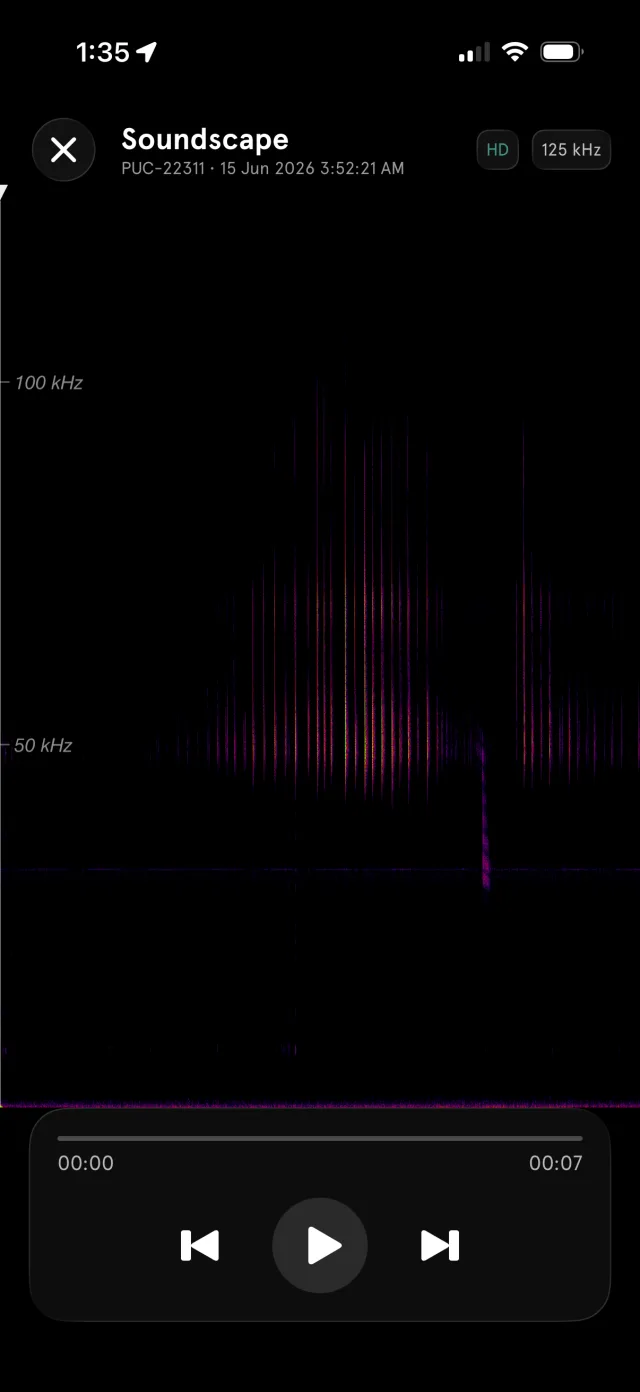
Go full-screen for a larger view, toggle HD for finer detail, and pinch to zoom into a specific frequency band. The full view shows the whole call sweeping down from above 100 kHz; zooming in on the 30–50 kHz region reveals the fine structure of individual pulses — exactly the detail the classifier uses to tell species apart.
2. The Web App — Live Map in Bat Mode
The BirdWeather Live Map works in the browser too, and it has a dedicated Bat mode. Open it at:
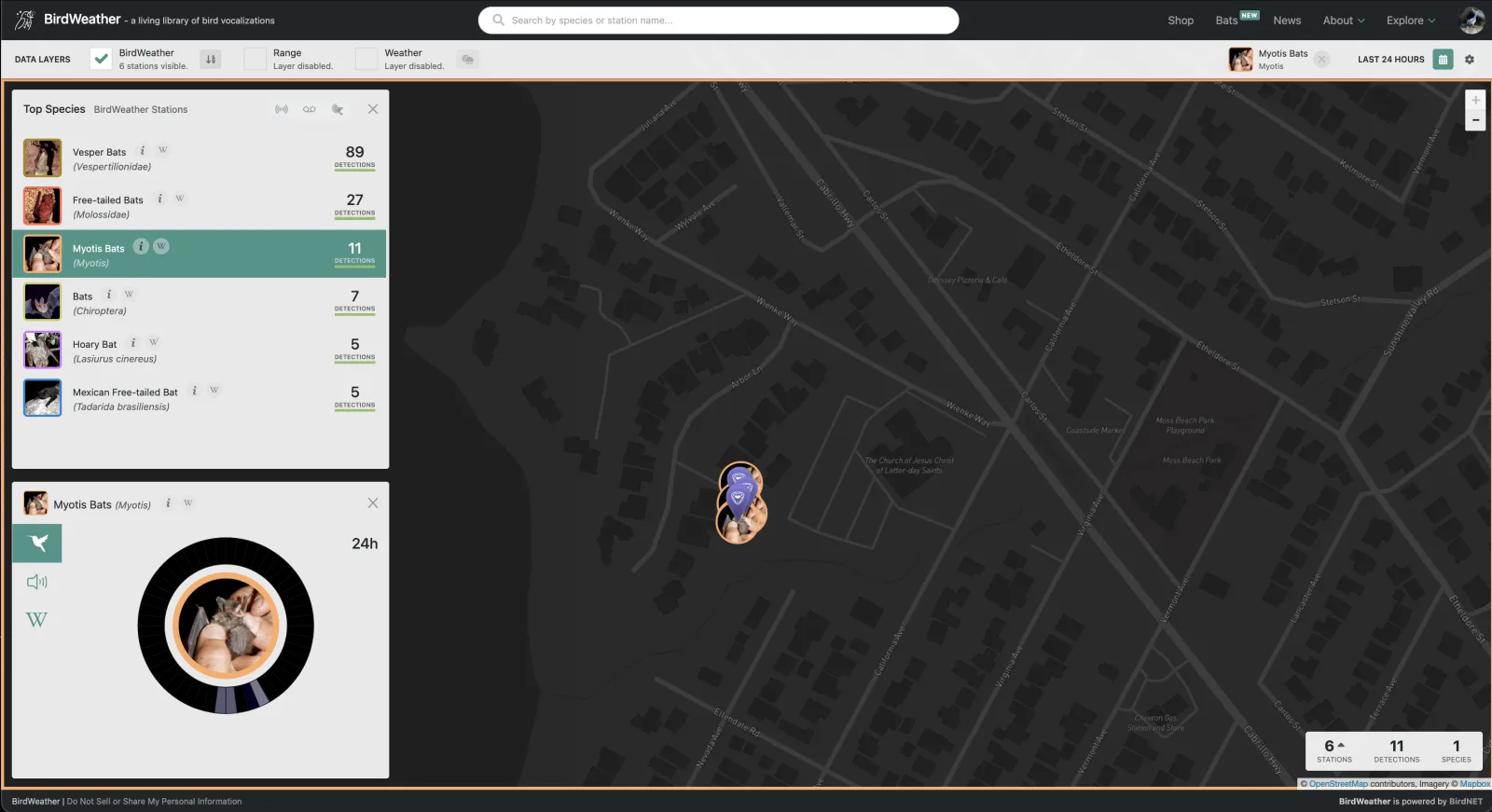
This opens the map already filtered to bats. You'll see live Top Species for nearby BirdWeather stations — grouped from broad families like Vesper Bats (Vespertilionidae) and Free-tailed Bats (Molossidae) down to named species — with detection counts and recent activity.
Station activity
Zoom to a station to see exactly which bats it's hearing and how often. The activity dial shows detections over the last 24 hours, and the species list ranks everything the station has picked up.
Species ranges
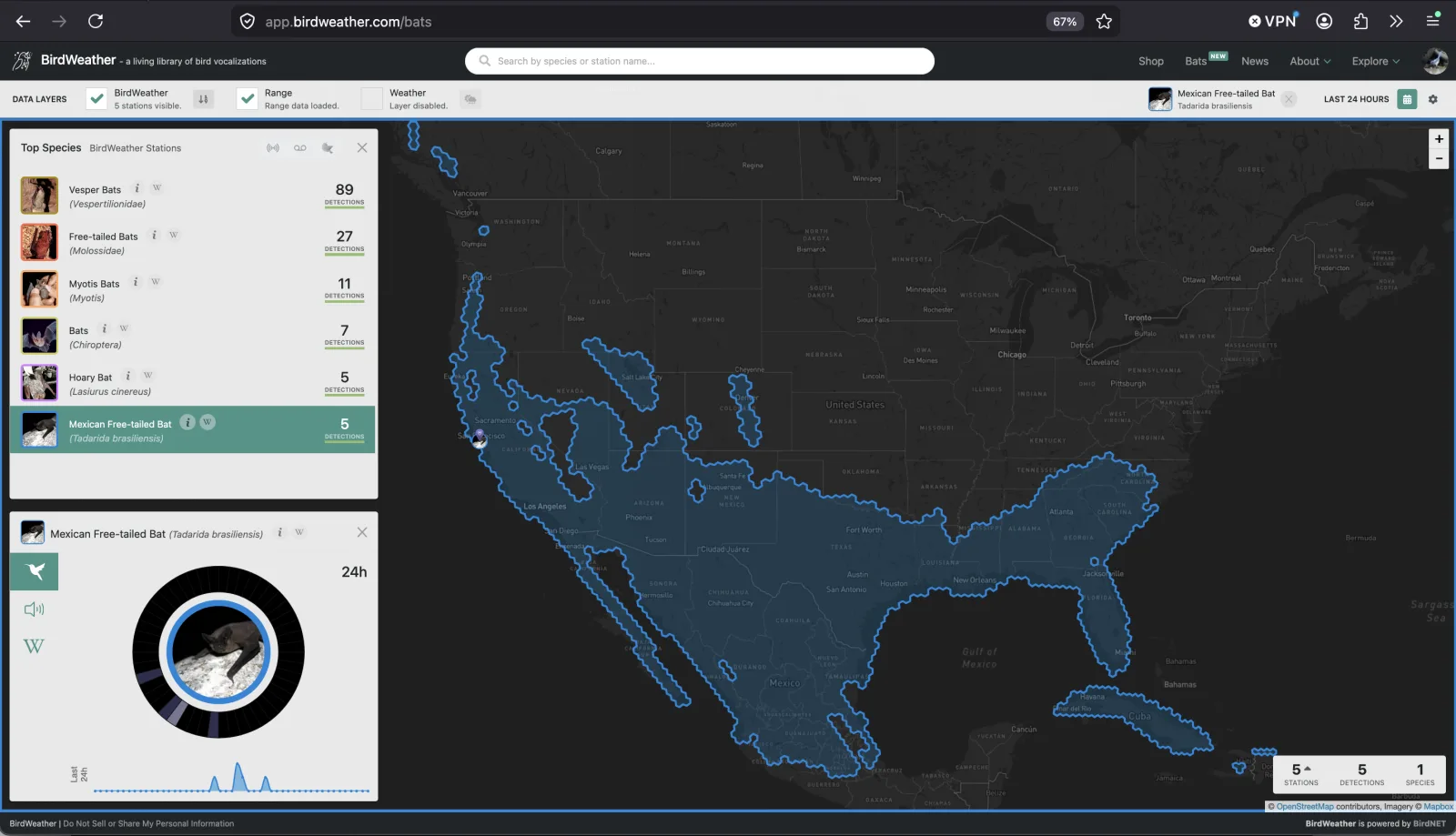
Enable the Range layer and select a species to overlay its known distribution on the map. Below, the Mexican Free-tailed Bat (Tadarida brasiliensis) shows its broad range across the southern U.S. and Mexico — helpful context for judging which species are plausible at your location.
3. How the Classifier Works
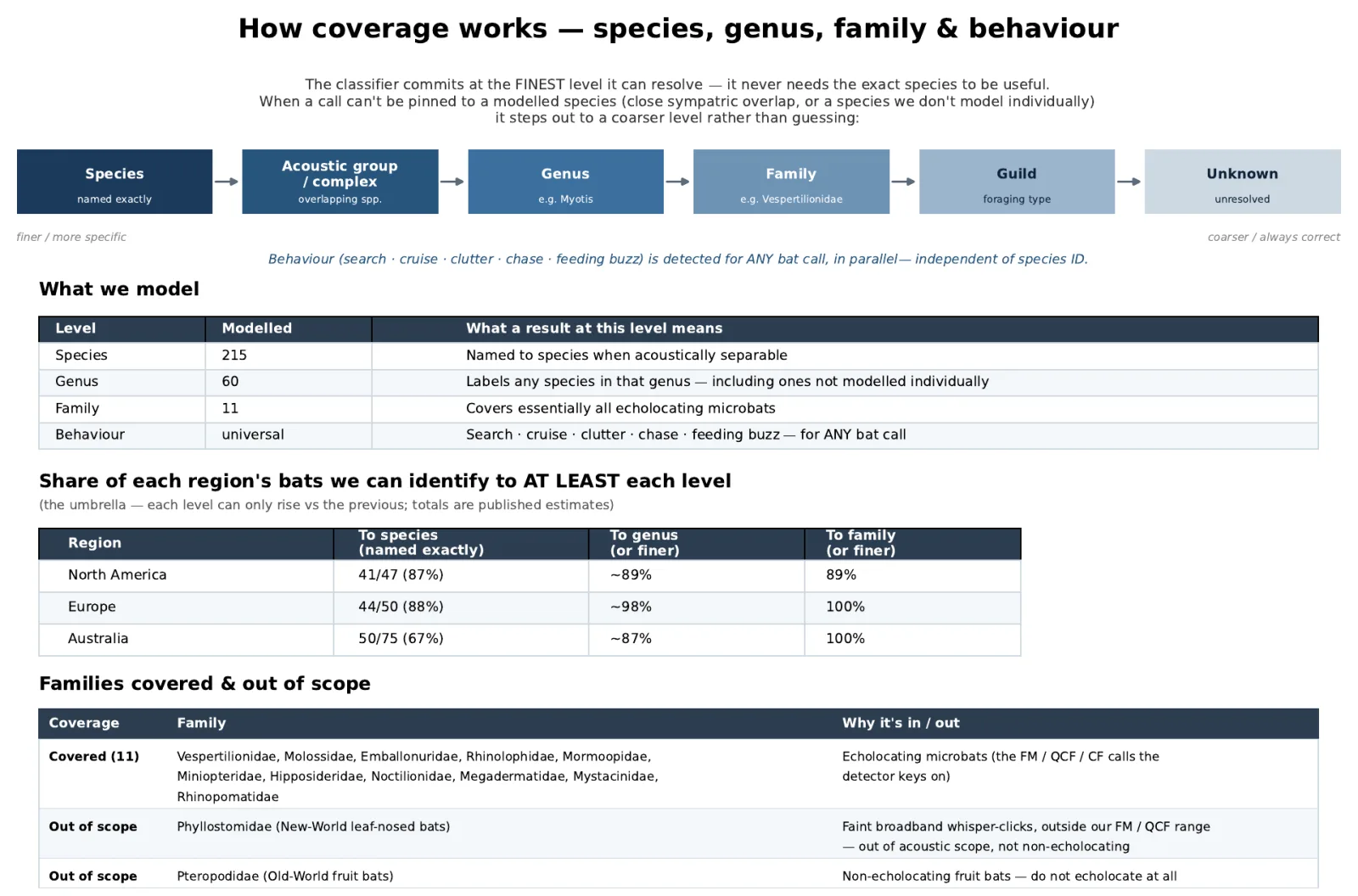
The bat classifier identifies species from the shape of their echolocation calls. It's built on a simple principle that keeps its answers trustworthy: commit at the finest level it can actually resolve, and never guess.
Species, genus, family — and behaviour
Many bats are genuinely difficult — sometimes impossible — to separate by sound alone, because different species share nearly identical calls. Rather than inventing a precise species ID it can't support, the classifier steps out to a coarser level it can stand behind:
- Species — named exactly, when the call is acoustically separable.
- Acoustic group / genus / family — when species overlap too closely, it reports the group, genus (e.g. Myotis) or family (e.g. Vespertilionidae) instead.
- Behaviour — detected for any bat call in parallel, independent of species ID.
A genus- or family-level result isn't a failure — it's the honest, correct answer. This is why you'll see entries like Vesper Bats or Myotis Bats in your feed rather than a falsely precise species name.
What's supported today
The current classifier (v26.1) models 215 species across 60 genera and 11 families — covering essentially all echolocating microbats worldwide, with the strongest coverage in regions where BirdWeather is most active.
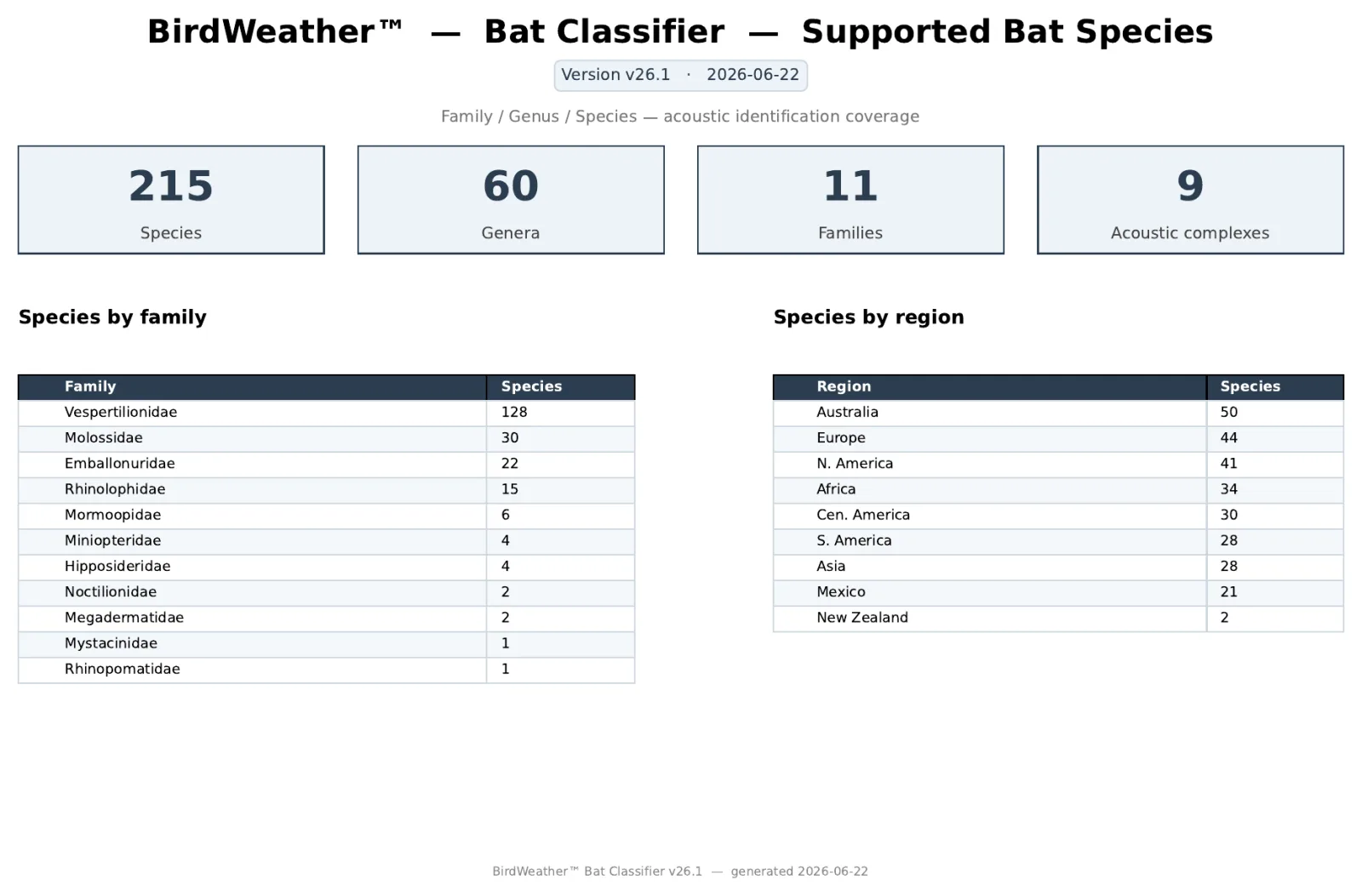
Identification coverage by region
| Region | To species | To genus (or finer) | To family (or finer) |
|---|---|---|---|
| North America | 87% | ~89% | 89% |
| Europe | 88% | ~98% | 100% |
| Australia | 67% | ~87% | 100% |
Share of each region's bats identifiable to at least each level. The umbrella widens at each coarser level.
Note: two bat families are intentionally out of scope — Phyllostomidae (New-World leaf-nosed bats), whose faint broadband clicks fall outside the detector's range, and Pteropodidae (Old-World fruit bats), which don't echolocate at all.
4. Powering the Bat Edition
Powering & charging the PUC
Unlike earlier versions, the Bat Edition PUC is designed around 3.6 / 3.7 V lithium-ion rechargeable batteries. We chose a removable design so you can get to the PUC's microSD card and swap the batteries when they eventually need replacing.
You can power and charge the PUC from any USB-C power source. For 24×7 operation, we recommend running the PUC continuously from an outdoor-rated USB-C adapter, with the batteries acting as a backup if power is ever interrupted.
- AC (mains power) — a.co/d/bNQYMAM
- Solar — a.co/d/9gla2wW
3.6 / 3.7 V lithium-ion batteries
We tested a number of options and landed on Keeppower, which — shockingly — lived up to their capacity claims, have excellent integrated protection, and as a bonus include built-in USB-C charging ports so you can charge them outside the PUC if you like.
Product page: keeppower.com.cn (P1413TC)
Available from a number of places:
- Alibaba — Keeppower P1413TC 14500 3.6V 1300mAh
- illumn.com — Keeppower P1413TC 1300mAh protected, USB-C
5. Roadmap
The Bat Edition is early, and it's evolving quickly. Here's where things are headed.
PUC Firmware
Bat detection improves as the PUC's firmware does, so the app will occasionally prompt you to install a new build on your device. Bat detection on your PUC begins with the V1.81 firmware — until your device has updated, it hasn't been listening for bats, so you won't see bat detections in your feed or history yet. That's expected.
- Make sure your PUC is connected and live — it should be streaming to BirdWeather with Upload Live Audio to BirdWeather switched on. A stable live connection lets the update download and flash reliably.
- Tap to update — start the firmware update and let it run to completion. Keep the device powered and within WiFi range while it installs and restarts.
Once the PUC restarts on the new firmware, it begins listening for bats automatically — from that point on, detections will start appearing in your feed whenever your station is live.
Classifier
- Expanding classifier coverage — more species, higher species-level precision, and refinements driven by verified field recordings.
- Continued tuning — as confidence grows, the classifier will resolve more calls to species while keeping its honest, no-guessing approach.
Questions or feedback?
Open Help and Support in the app (look for the BAT badge) and tap Contact Us. You're helping shape one of the first consumer-grade ultrasonic bat monitors — and we're glad to have you listening.
Happy listening — from the BirdWeather team 🦇